
Start up for Films
Films are currently (Spring 2025) shown using a DVD Blu-Ray player. It has two HDMI outputs. One has video only, the other has combined video and sound. We need to extract the sound so that it can be played through the front of house speakers. We also need to put the video HDMI signal in place of the sound computer's HDMI which is normally used to control the projector from the Sound Cue System software.
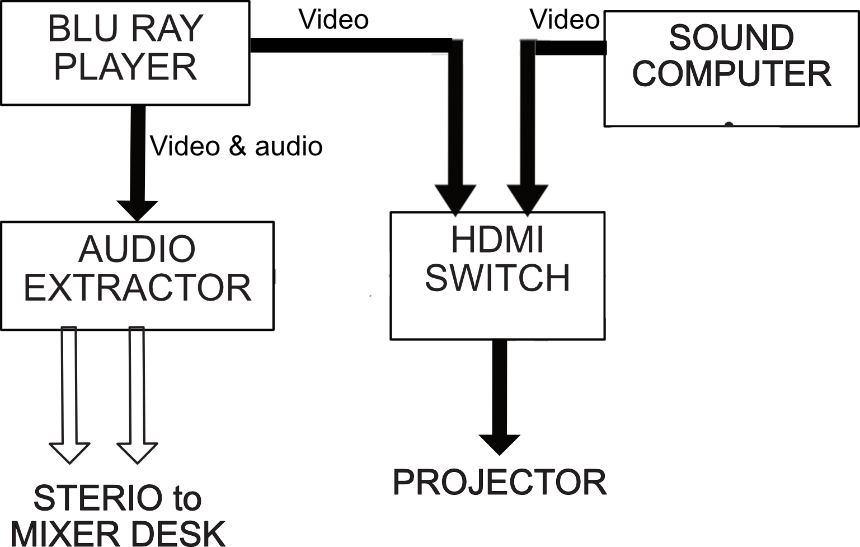
The Audio extractor is not mounted and can be found loose on the bench - usually under the mixer desk. The HDMI switch is mounted just under the DVD player.
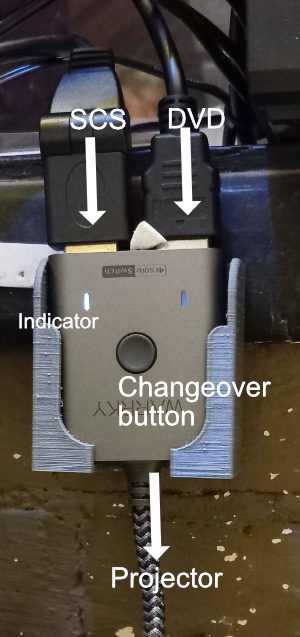
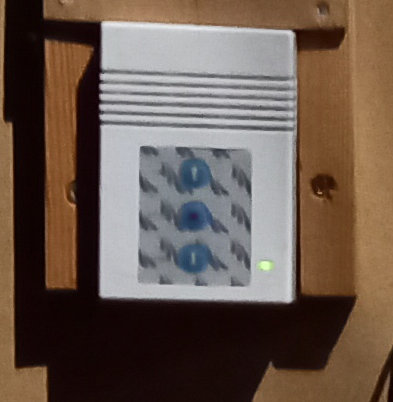
HDMI switch, The round button is the switch. .
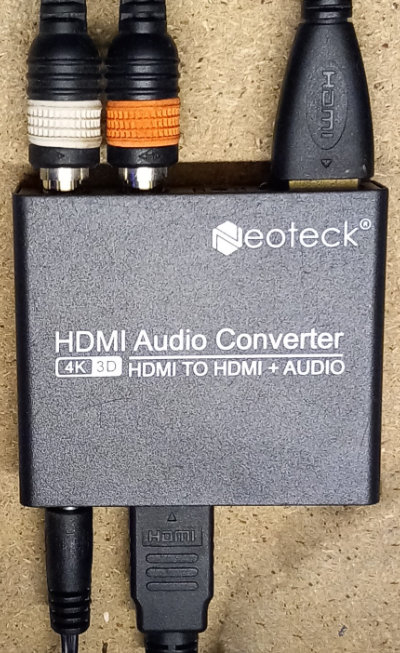
Audio Extractor
Carry out the basic steps for powering up the lighting box and additional steps for the audience but ignoring the show relay, camera, club room projector and TV steps, i.e. :
Turn on the lighting box lights with the switch by the ladder
Turn on the cooker switch
Turn on the dimmer pack contactor with the key
Switch over the house lights control
Switch on the lighting computer and its monitor, and log in using the password '1897'
Switch on the PC wing
Switch on the sound PC and its monitor
Switch on the FOH amplifier (M-2600)
Plug in and switch on the projector power (Projector goes into standby)
Use "the "Room View" software to enable the projector.
Optionally, switch on the CCTV monitor and set it to show the 4 cameras we use.
 A. Switch on the Blu Ray player. This is usually on the left hand window sill.
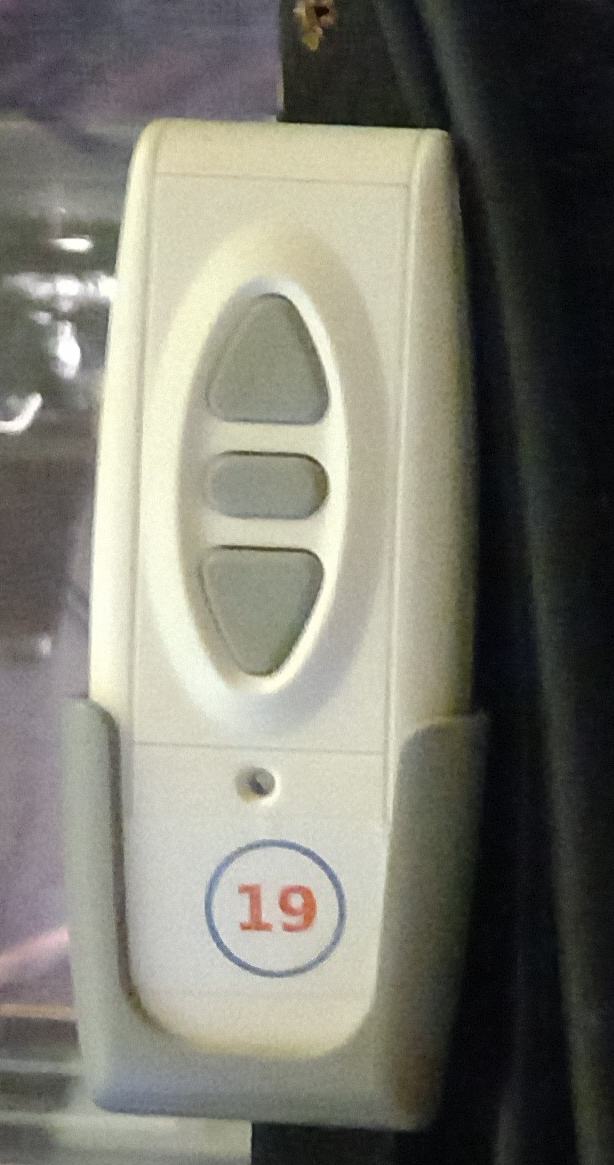
 B. Lower the projection screen. This can be done with the remote control located in the holder near the right hand window or with the switch in the stage manager's area.
E. Replace the left hand stereo cables in the mixer desk (i.e. those normally used for the back stage speker) with those from the audio extractor. Setting the push buttons shown in the diagram below now allows the use of both the film sound and the primary SCS sound to be directed to the front of house speakers
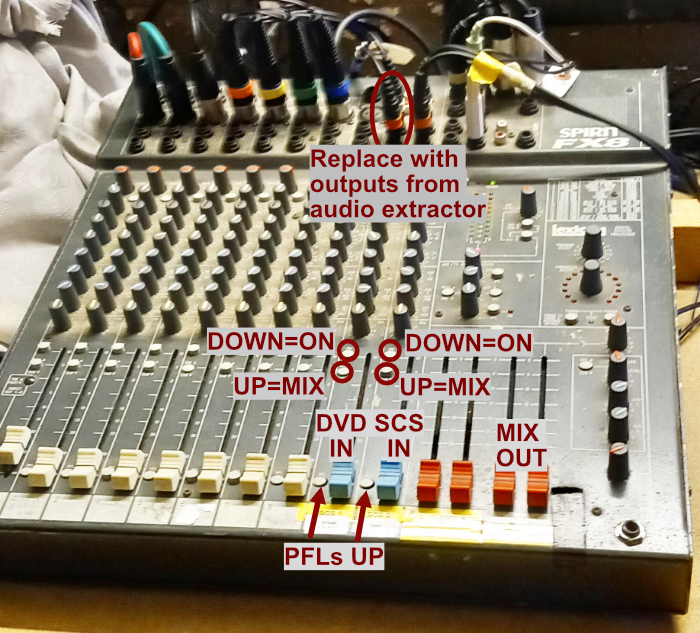
F Switch the HDMI switch back to DVD and run the film. With the DVD IN fader on about 0dB, adjust the MIX OUT faders to give a comfortable volume.
F Using the remote conrol, run the run film to the point you'd like it to start and press Pause or Stop* . Although the input fader is up, there will be no output sound but the film is now ready to go.
G Toggle the HDMI switch back to SCS and run one of the sound cues. Adjust the SCS IN volume to a comfortable level. You should now be able to use MIX OUT faders without the need to adjust the inputs any further.
H Set SCS to run the slide show and the pre show music. These will loop until interrupted.
I By now, the lighting PC will be displaying the Magic Q selection screen. Select "Continue last show". Check that this is for the film show by clicking Setup and General. The show is as shown below.
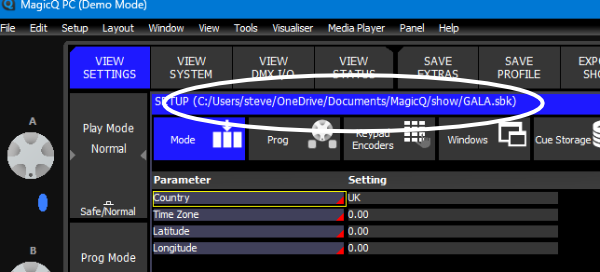
If the file is does not have a name like 'FilmShow', you can find the file you should have by clicking File > Open and looking for an appropriately named file. Accept the query about closing the current show.
J Fully raise the "Grand" fader on the PC wing. You will now be able to use Playbacks 1,2 and 10 to control the lighting
PB1 provides proscenium arch lights in red together with warmers and house lights. Use these during the preshow phase.
PB2 provides general front of
stage lighting in case there are any announcements made from the stage
PB10 controls house lights only.
-----------------
*The idea is to start the film at the appropriate time without all the preamble of selecting languages etc. Unfortunately "pause" only lasts about 15 minutes. After that the player starts the DVD again from scratch. The DVD manual says that using "stop" memorises the position but warns that this is dependent on the DVD itself. You therefore need to experiment with each film to find the best way to give a seamless performance..
-----------------