
SCS Basic Concepts
The sound computer runs the Sound Cue System software.
Sound tracks, pictures or video files are loaded into the computer - either onto the PC itself or on a memory stick - so that SCS can access them. SCS needs to know where the are stored, but they are not 'in' SCS. All of the effects that SCS creates (fades, loops etc.) do not change these files, just the way they, or parts of them, are played.
The Sound PC uses a USB connection to an external two channed stereo sound card. so it is possible for SCS to supply two independent audio signals. We generally use one of these for the main front of house speakers and the other for the backstage speakers.
The picture below show the two main windows of SCS. The pop up edit window on the right allows you to pick files and set them up as cues with a variety of options on how they should run. When they are set up, the main window on the left is used to run (or interupt or modify) the sequence. You can click the picture for a full size version.
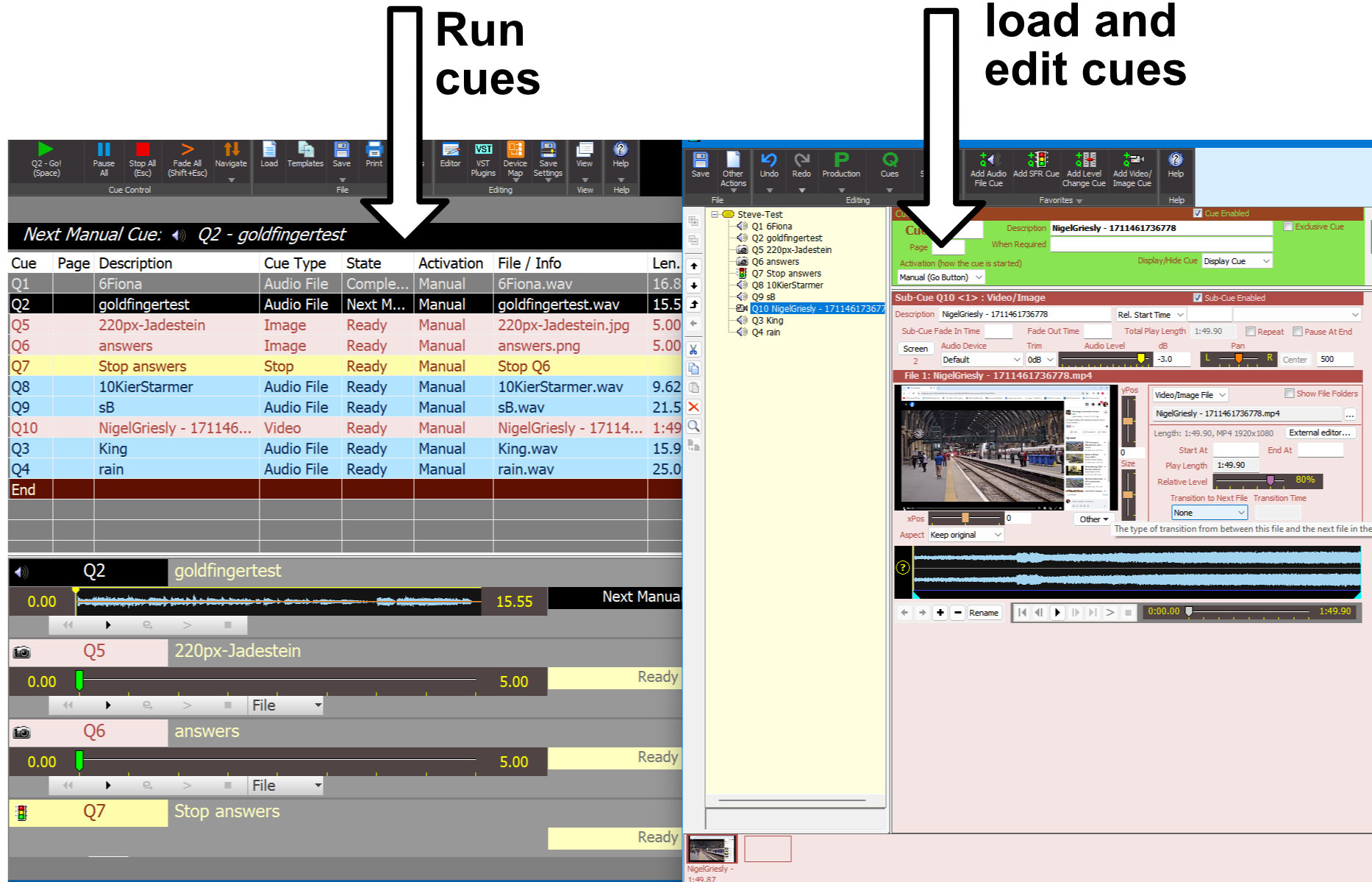
Images or videos are played on a separate screen to the one running SCS. In our case we use 'screen 2' which is actually the projector. If a video includes sound, this is played though the computer output sound card, just like normal sound cues.
Unlike the Magic Q software used for the lighting, SCS is not free but you can download a (windows only) demo trial version from https://www.showcuesystems.com/cms/download-trial. to see how to use it.
Trinity has a full licence and in answer to the question "Can I setup SCS on both my home computer and my theatre/school computer? SCS says:
Yes, provided you are involved with the theatre/school use of SCS. The 'single-user' license allows for the use of SCS by one person or position, not necessarily on a single PC. It is understood that many SCS users will set up sound cues on their PC at home and then transfer the sound files to a separate PC at the theatre. That is an acceptable interpretation of the 'single-user' condition.
Learning SCS is not difficult and there are multiple on-line videos to help. Those provided by SCS themselves at https://www.showcuesystems.com/cms/scs-videos are a good starting point.