
Mixer Desk
The mixer desk is a Spirit FX8.
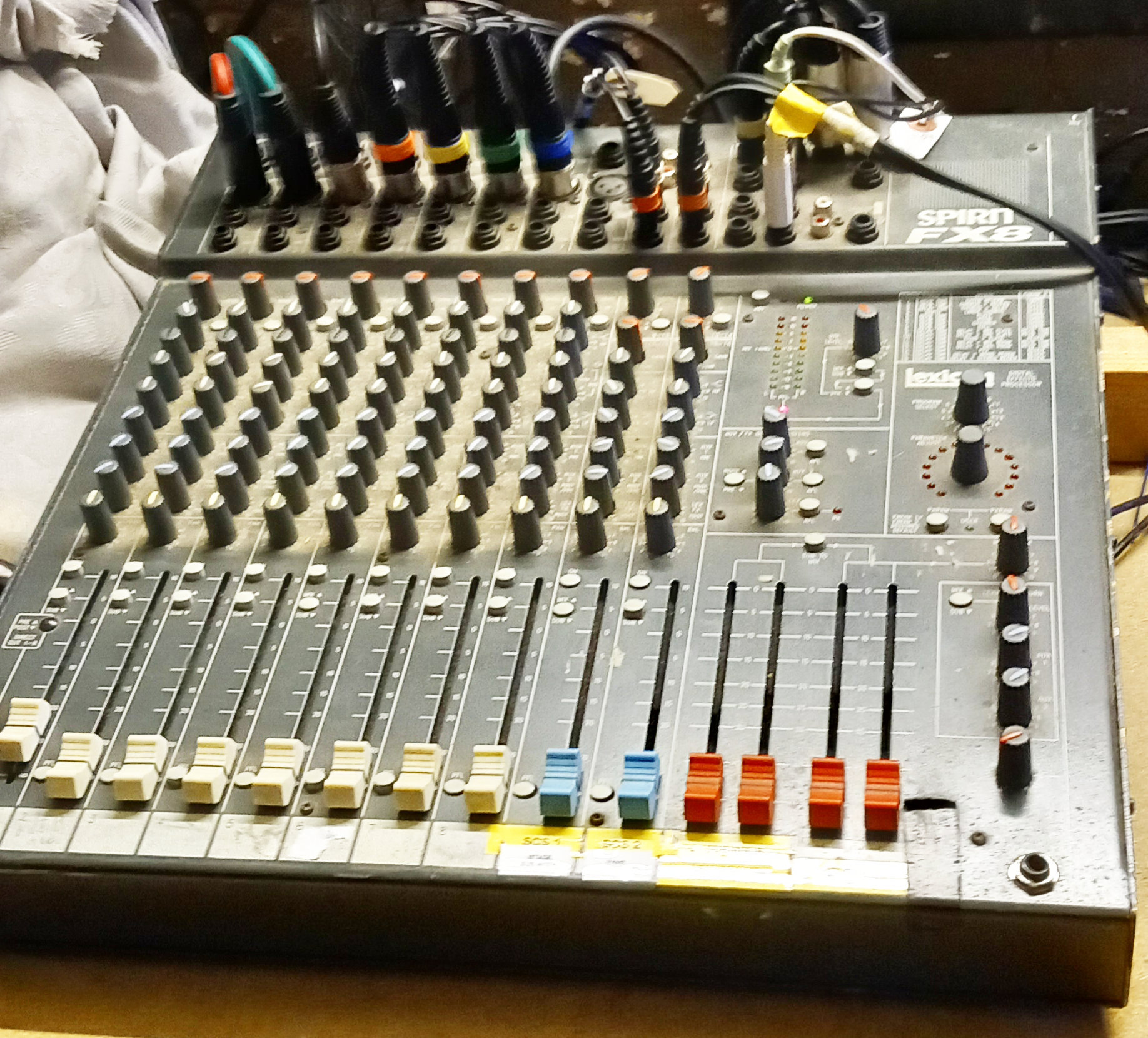
This is a general purpose mixer desk with many functions that we do not use.
The spirit-fx8-multiuser-guide is a multi language PDF document covering all possible aspects and many uses of the unit. It is not easy to digest so what follows is a much simplified description that should be sufficient for most of our needs.
The top part of the unit is used to plug in all the inputs and outputs. Our arrangement is usually as shown below where the red dots indicate the sockets we use:
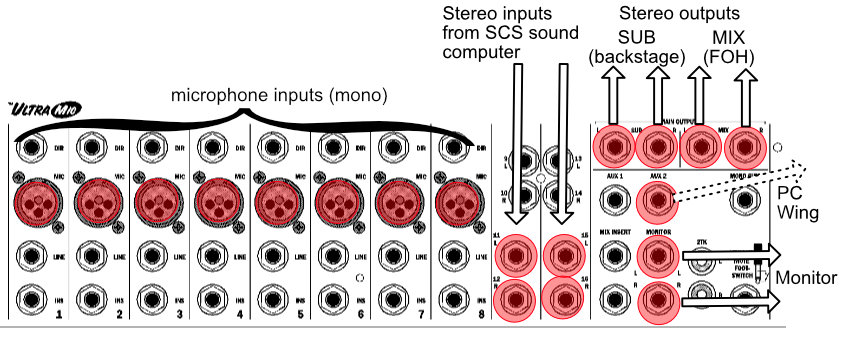
The dotted connection is sometimes used to take a music signal to the PC wing to synchronise the lighting to the beat.
Below each of the input channels is a column of knobs used to fine tune the inputs. We usually leave all these knobs in their default positions.
Below these are sliders (faders) to change the relative volumes of the channels so that the overall mix is well balanced.
Each mono channel has 4 push button. from top to bottom these are:
| -/100 Hz -60dBa | (high pass filter) Suppresses rumble for speech. |
| ON | Turns on the channel, i.e. include in outputs. |
| MIX/SUB | Routes the output to MIX (up) or SUB (down) |
| PFL | (Pre Fade Listen). This channel is monitored instead of the main SUB or MIX outputs |
The streo input switches are slightly diferent. Instead of the high pass filter the first switch picks the MIX/SUB routing of the stereo channel connections at the rear of the slots. We don't use these, so the switch position doesn't matter.
To match our labelling below, the first stereo (left) input switch needs to be down (i.e. to SUB) and the second (right) neads to be up (i.e. to MIX):
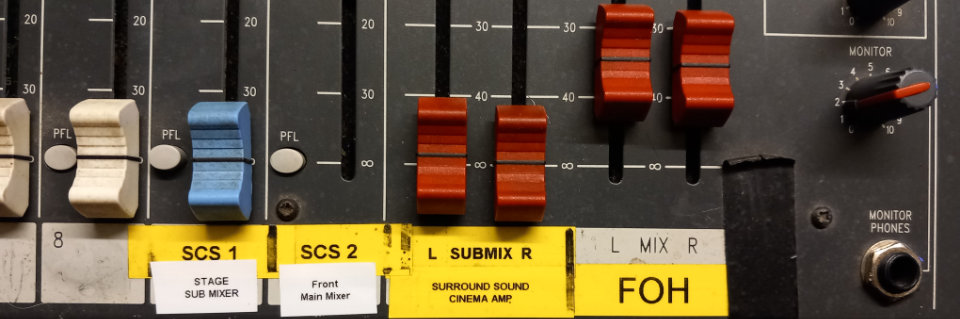
The right hand side of the desk is associated with the outputs. The first two red faders control the left and right volumes of the stereo SUB channel. The final two red faders control the left and right channels of the MIX channel.
The volume can be seen on the led columns of the visual meter. To avoid distortion, these should usually be kept in the green area.
We do not use the 2TRK input so the button just under the topmost rotary button should be up. The button below it routes either MIX or SUB to the monitor. The monitor output is available on small speakers in the lighting box via a small loose amplifier in the metal cabinet. This should not need to be adjusted
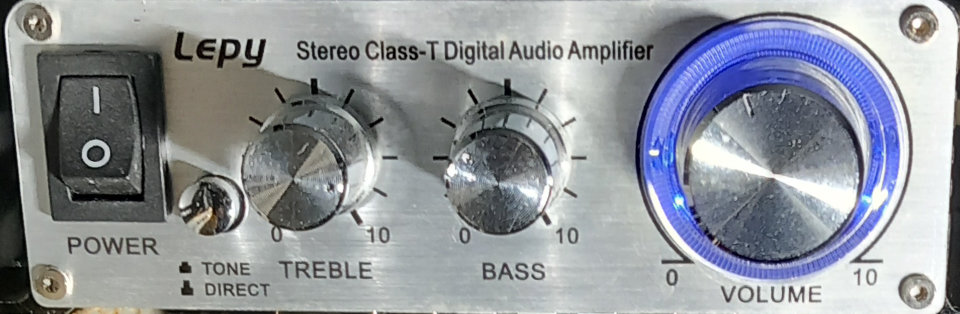
The monitor volume is controlled by the lowest rotary switch so it's possible to hear outputs even if the sliders are fully down.
The SUB outputs can be added to the MIX output by pressing the switch just above the top of the four red sliders.