
Matrix Display Panel at the Bottom of the Slope
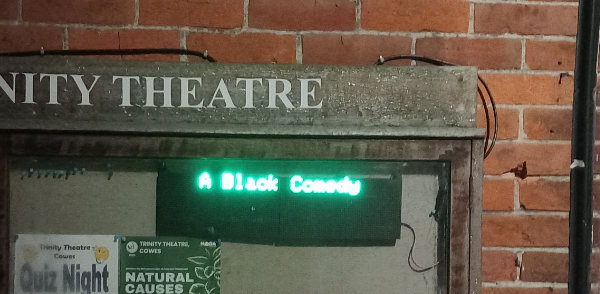
The scrolling 3 line display at the bottom of the slope is used to advertise forthcoming events.
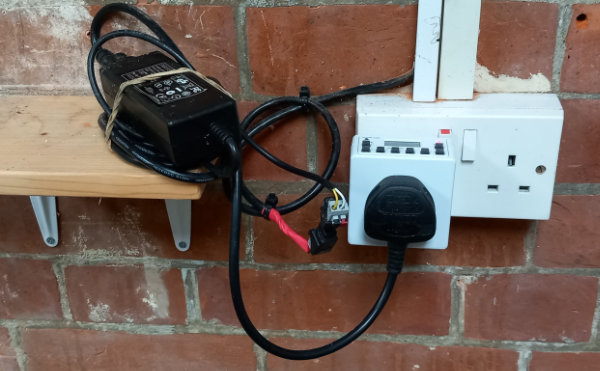
A timer near the stage door is used to turn on its 12 volt power supply, typicallly from midday to 10pm but of course this can be modified to suit the production and the time of the year..
The dislay has an ESP32 development board which acts as a local WiFi access point. It is not connected to the internet. You need a WiFi enabled phone or tablet to change the information on the display. The signal from the ESP32 is not very strong so you will need to be adjacent to the display before you can log on.
Go to the Wireless Settings on your phone/tablet. Select the ‘TTpanel’ signal and connect to it using the password available from the paper copy of this page in the lighting box. (As the display is public, the password knowledge is restricted to avoid mischief) The connection will be marked with a ! to indicate there is no internet access.
Open up a Web Browser and enter 192.168.4.1/ This should open the following page.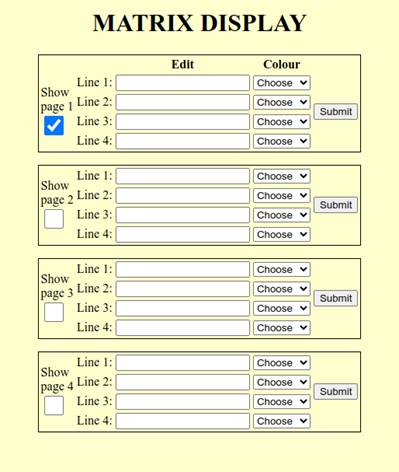
Enter the text you wish to display on each line – no more than 21 characters per line. Select the desired colour from a drop down list that appears when you click on the Choose button. Click on the Show page button – if this is not selected any information entered on that page will not be displayed. When you are happy with the information on the screen click the Submit button. The display will be immediately updated.