
Follow Spot
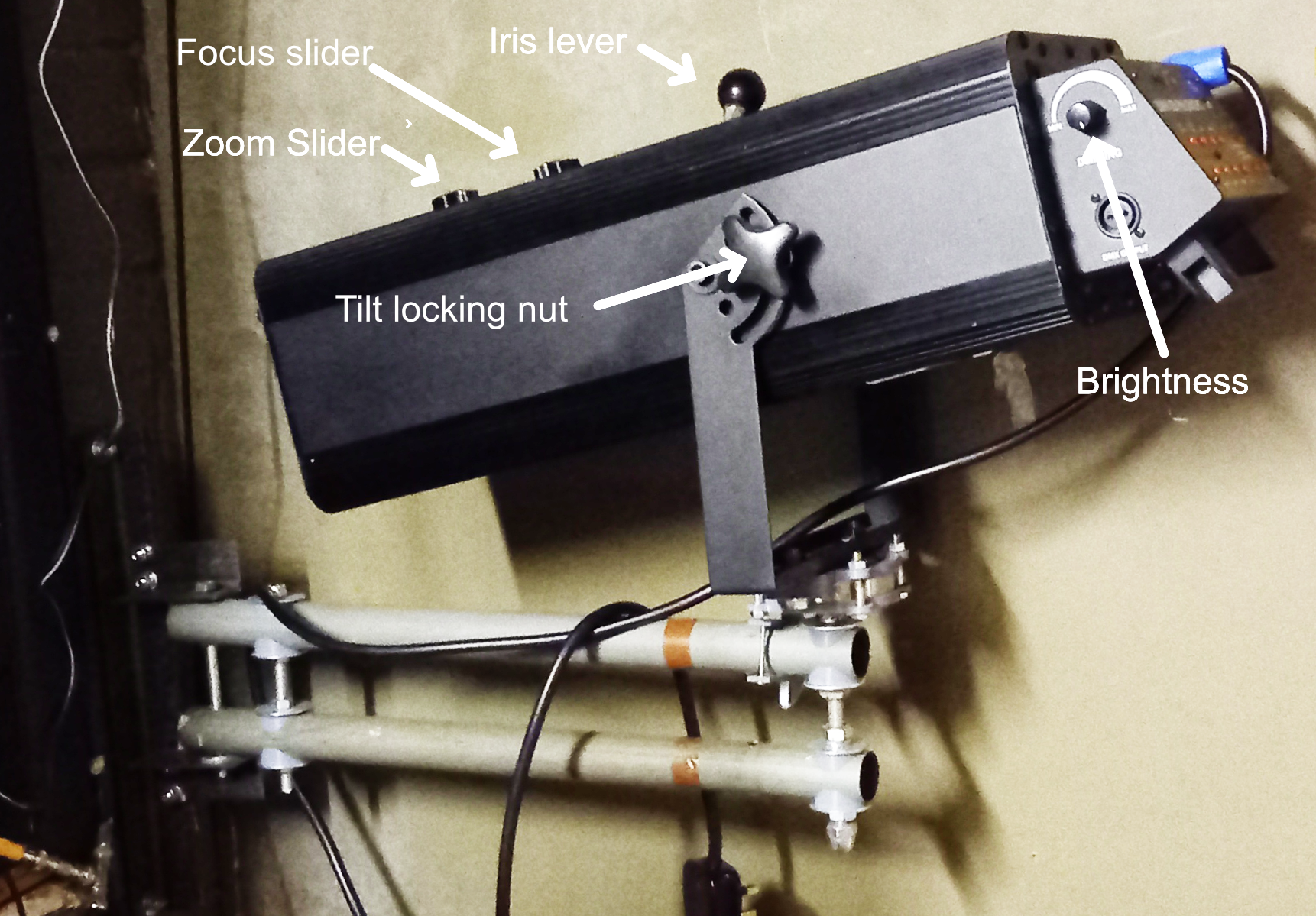
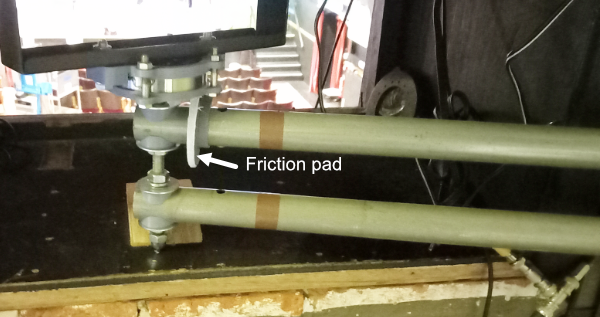
The followspot bracket swivels away from the wall to occupy a position in the glassless window. It is heavy and needs a little help to get the bottom of the assembly onto the window cill. When in position, you may need to twist the eccentric friction pad to stop it panning from side to side too easily.
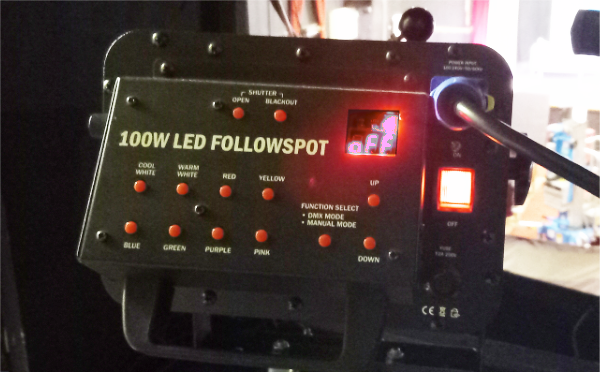
Plug the unit into a local 13A socket and switch it on with the red switch on the right hand side. After a moment the LED display will say "off". click the OPEN button to turn it on and adjust the brightness with the knob on the left hand side.
The zoom control expands and contracts the circle of light on stage on stage but the bigger the circle, the dimmer it is. The focus adjusts the sharpness of the circle. You will not usually need to adjust either of these settings. The iris is used to shut down the circle without changing its intensity.
The default colour is COOL WHITE but pressing the colour buttons provides various alternatives. Unfortunatley these use filters that slide into place and reduce the brightness. Even without the colours, the followspot has little effect if the stage ia already brightly lit. We often counter this by dimming all the other lights with the master dimmer on the PC wing.
The followspot is capable of accepting DMX although we don't normally use this mode. It is triggered by pressing the mode button. A yellow LED on the display indicates that this mode has been selected - just press again to return to manual operation.